3. Canva with Magic Studio: Design Without a Designer
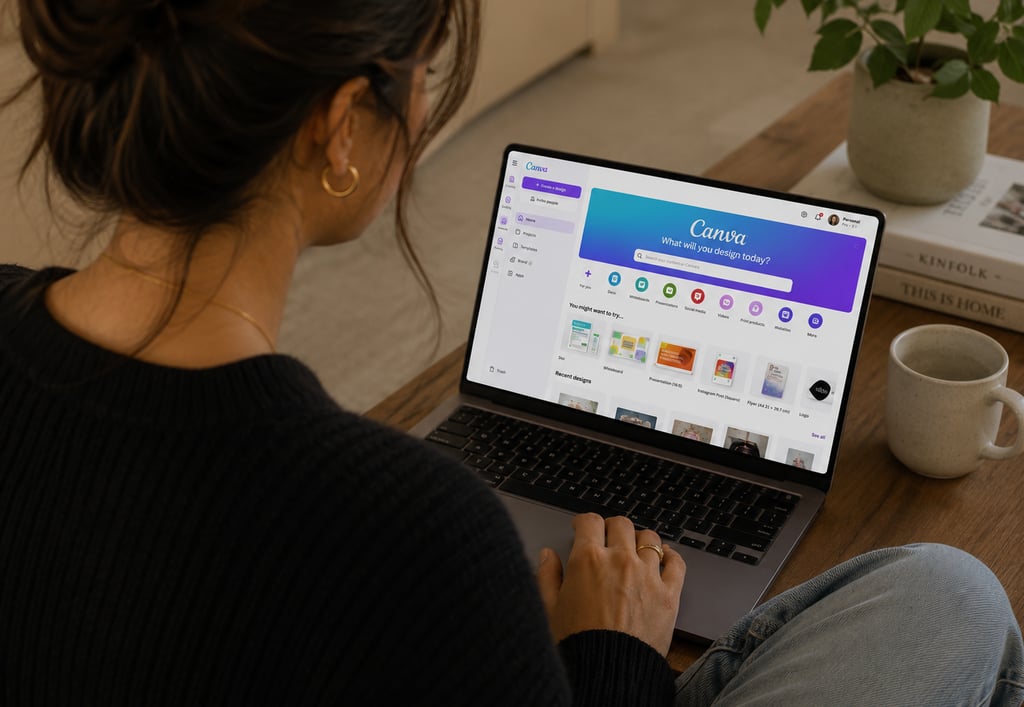
Most of you are already using Canva. But are you using the AI features built into it?
Canva's Magic Studio tools include:
Magic Write — generates text for social posts, presentations, and documents
Magic Design — creates full designs from a text prompt or a photo
Background Remover — removes backgrounds from photos instantly
Magic Resize — resizes any design for a different platform in one click
For a woman running a small business who needs to consistently show up on social media, create professional-looking client documents, and produce marketing materials without a graphic designer on speed dial, Canva's AI features are a quiet game-changer.
The free version covers the basics. Canva Pro at around NZ$25 a month unlocks the full Magic Studio suite and is worth every cent if you're creating content regularly.
Best for: Any business that needs to produce visual content — social media, presentations, proposals, marketing materials.
4. Otter.ai: Never Lose a Note from a Client Meeting Again
How much time do you spend after a client call trying to remember exactly what was said? Writing up notes, chasing details, piecing together your memory of a conversation?
Otter.ai records and transcribes your Zoom calls, meetings, and conversations automatically. It produces a full transcript you can search, summarise, and refer back to and it integrates directly with Zoom so it runs in the background without any extra effort.
For service-based business owners who spend significant time on client calls, this one is genuinely life-changing. No more frantic note-taking mid-conversation. No more "I think she said she wanted it by Friday but I'm not sure." The whole conversation is there, searchable, accurate.
I use it in my own business for every client session. It means I'm fully present in the conversation rather than half-distracted trying to capture everything in writing.
The free version gives you 300 minutes of transcription per month — enough for most people to start with. Paid plans start from around NZ$20 a month.
Best for: Anyone who does client calls, discovery sessions, consultations, or team meetings.
5. Zapier: Make Your Tools Talk to Each Other
This one is slightly more advanced than the others but I've included it because once you have a couple of AI tools running, the next question is almost always "can they connect to each other automatically?"
Zapier is an automation tool that creates workflows between apps without any coding. You set up a "zap" and it runs automatically in the background.
A few examples of how my clients use it:
When a new client books through TidyCal, automatically add them to a Google Sheet
When someone submits a contact form on the website, send an automatic acknowledgement email
When a new invoice is paid in Xero, send a thank you message
When someone subscribes to the newsletter, add them to a specific email list
It sounds technical but Zapier's interface is genuinely manageable for non-techy people and the time it saves on repetitive admin tasks adds up quickly.
The free plan allows five zaps, which is enough to test it. Paid plans start from around NZ$30 a month.
Best for: Anyone who finds themselves manually copying information between apps, or doing the same small administrative task repeatedly.
Where to Start
If you've read this and thought "I could use all five of these" you probably could. But I'd encourage you to resist the urge to set up everything at once.
The most common mistake I see is too many tools, none of them used well. Pick one. The one that addresses your biggest daily frustration. Get comfortable with it. Then add the next.
If you're not sure which one to start with, or whether any of these actually suit your specific business, that's exactly what my free 20-minute chat is for. We'll figure it out together, no tech knowledge required, no commitment to anything further.
About the author
Rhiannon Rhodes is the founder of The Shortcut Co., an AI consulting service for women in business across New Zealand and Australia. She helps busy women find and implement the right AI tools for their specific business — in plain English, without the overwhelm. Book a free chat at shortcut.nz.